What a website audit report is
A website audit report is a list of what a website is missing, measured against fixed checks, with one sentence per item on why it matters to the business.
The established audit tools produce a long version of that list. Semrush’s Site Audit opens on a Site Health score, counts errors and warnings, and files the rest under thematic reports such as crawlability, HTTPS and performance. [10] Ahrefs checks for more than 170 issues under headings like titles, meta descriptions, indexability, links and structured data. [11] SEOptimer runs over 100 checks across on-page SEO, usability, performance, social and links, and makes a PDF in about 30 seconds. [12] HubSpot’s Website Grader scores performance, mobile readiness, SEO and security out of 100. [13]
Those reports are written for the person who will fix the site. A report sent to a prospect is written for the person who will decide whether to answer the email. It has one page, names what the owner can see for themselves, says why each item costs them, and ends with the offer. This page is that report: what it checks, the exact wording for each check, the email that carries it, and a filled example you can open.
The report, as ShowFirst makes it
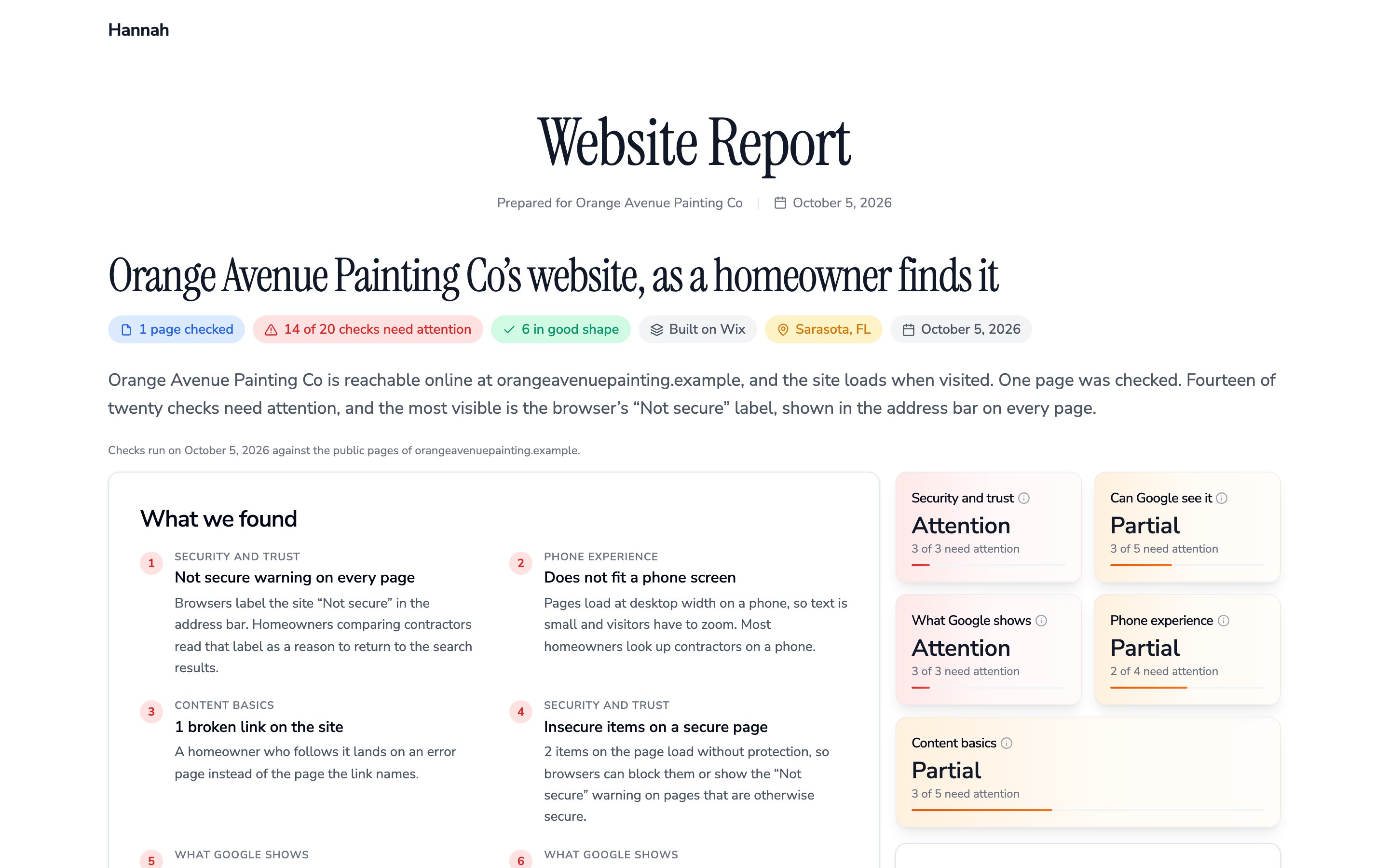
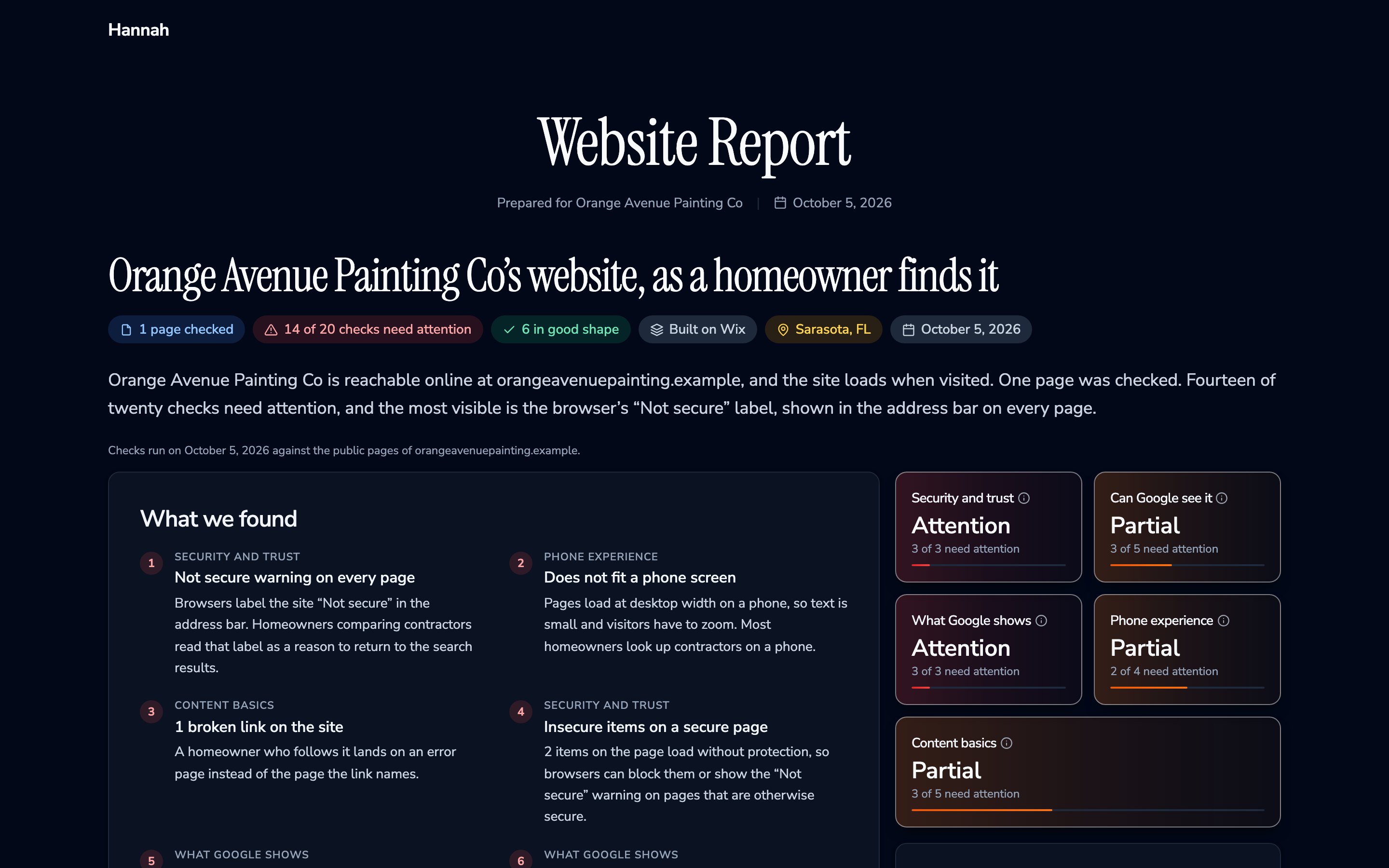
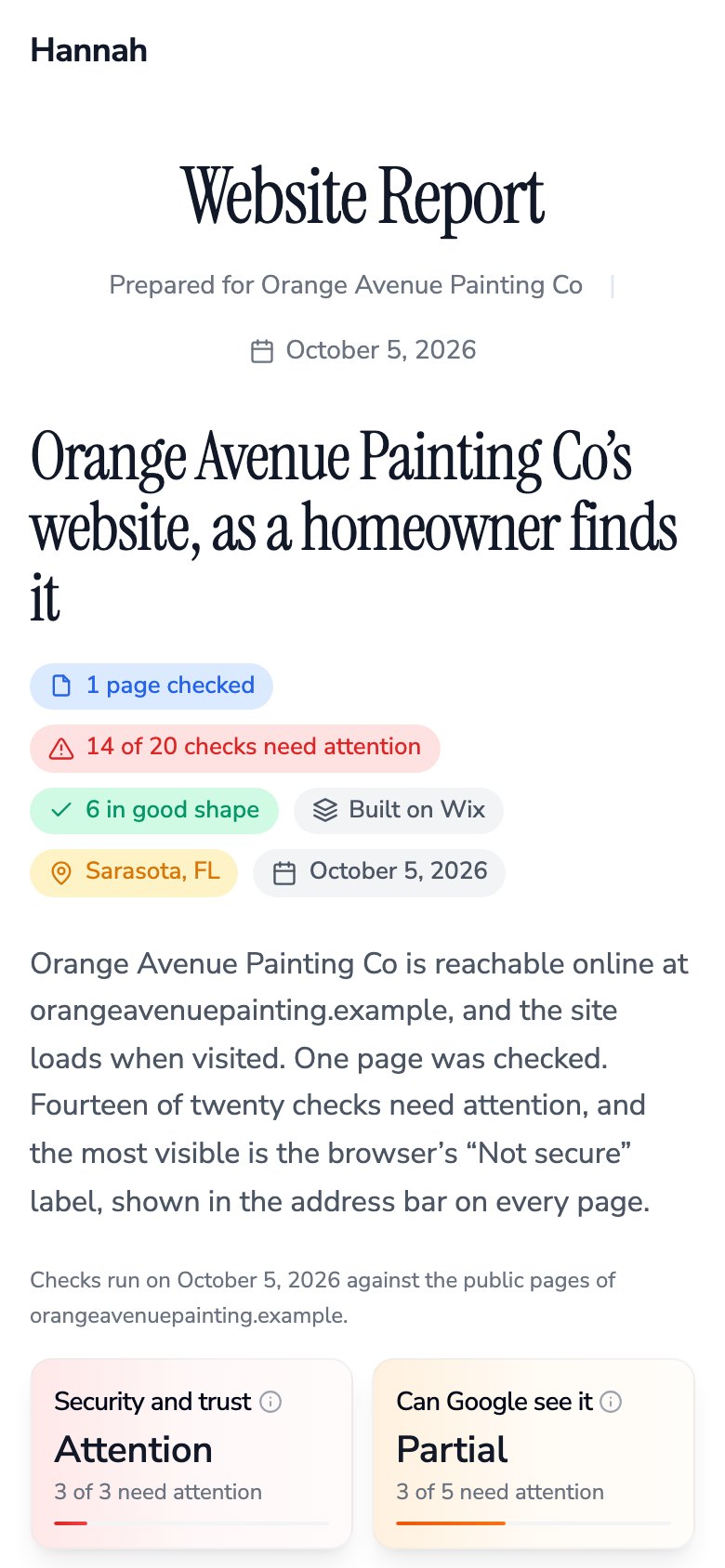
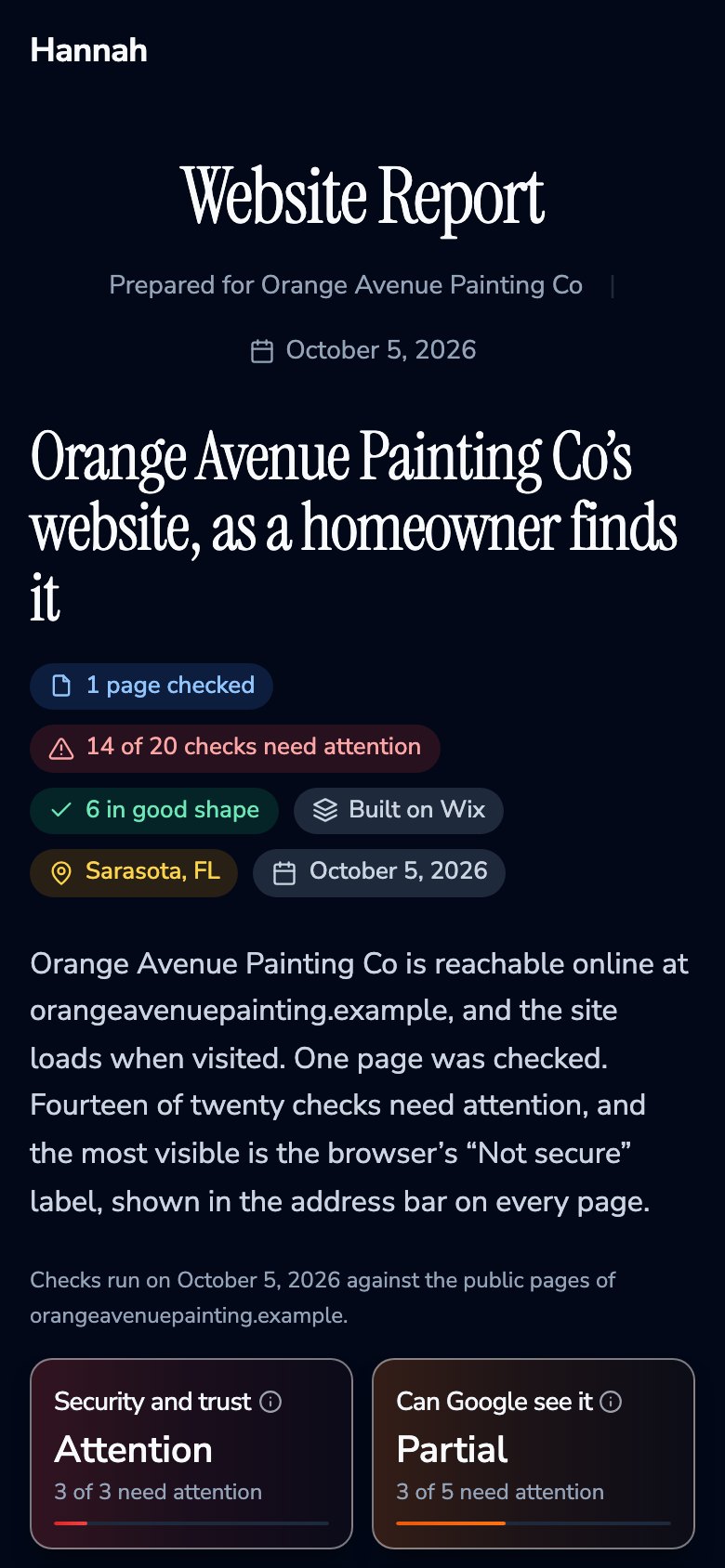
Every search result in ShowFirst carries a check of the business’s website. Share report turns that result into the one-page report at the top of this page, under your agency name, logo and color, with a link to the fixed version of the site when you have one. The example is for a fictional painting company.
It covers 20 measured checks, grouped the way a homeowner meets them. Each failing check becomes a numbered finding: the group, a plain headline, and one sentence on what it costs the business. Passing checks are listed under “In good shape”. A check the engine could not run is left out and not counted, never guessed.
Security and trust
- “Not secure” warning in the address bar
- Insecure items on a secure page
- Footer year
- Site on the builder’s web address
Can Google see it
- A setting that hides the site from Google
- Site map for Google
- One official address per page
- Services, city and hours readable to search
- Search markup that reads without errors
- Page language
What Google shows
- Page title, and whether it fits
- Description under the name, and whether it fits
- Share preview when the link is pasted into a text or post
Phone experience
- Fits a phone screen
- Phone number taps to call
- Page weight
- Server response time
Content basics
- One clear headline on the home page
- Photo descriptions for Google
- Broken links
- Contact form
- Link to the Google listing
The page never shows the business’s email addresses or phone numbers, search engines are told not to list it, and the platform’s name does not appear on it. Anyone with the link can open it, with no sign-in.
The 20 checks and the wording for each
These are the sentences the report prints, check by check, so the same words can go in an email, a call or a report you write by hand. The right-hand column says what each sentence rests on; where that is an outside fact, the source is numbered.
Security and trust
| Check | What the report says when it fails | What is behind it |
|---|---|---|
| “Not secure” warning | Not secure warning on every page. Browsers label the site “Not secure” in the address bar. Homeowners comparing contractors read that label as a reason to return to the search results. | Chrome has shown “Not secure” for every page served over plain http:// since Chrome 68 in July 2018. [1] |
| Insecure items on a secure page | Insecure items on a secure page. [n] items on the page load without protection, so browsers can block them or show the “Not secure” warning on pages that are otherwise secure. | Counted from the page: images and scripts requested over plain http:// on an https page. |
| Footer year | Copyright line reads [year]. The footer date has not changed since [year]. Visitors use it as a quick check on whether a business is still operating. | A measured fact about the site. The sentence says only how a reader takes it. |
| Site on the builder’s web address | Site runs on the builder’s web address. The address carries the site builder’s name instead of a domain the business owns, which reads as a temporary site. | A measured fact about the site. The sentence says only how a reader takes it. |
Can Google see it
| Check | What the report says when it fails | What is behind it |
|---|---|---|
| Hidden from Google | The site asks Google not to list it. While this setting is in place, [business] does not appear in Google results at all. | Read from the page’s own instruction to search engines. The most serious finding when present. |
| Site map for Google | No site map for Google. Google has to find each page on its own, so newer or deeper pages can be missed. | A measured fact about the site. The sentence says only how a reader takes it. |
| One official address per page | Pages have no official address. Google can find the same page under more than one address, with and without www for example, and count it as two weaker pages instead of one. | A measured fact about the site. The sentence says only how a reader takes it. |
| Services, city and hours labelled | Services and service area unreadable to search. The site carries no search markup naming the trade, the city and the hours. Google uses that markup for map and local results. | Google reads LocalBusiness markup for details such as hours, and requires the name and address with the phone, URL, opening hours and coordinates recommended. Google does not promise to show it. [6] |
| Search markup readable | Search markup contains errors. [n] blocks of the site’s search markup cannot be read, so Google skips the business details inside them. | Each block of business markup on the site is parsed; the count is the blocks that fail. |
| Page language set | Page language not set. Translation tools and screen readers are not told which language the site is written in, so they can read or translate it wrongly. | A measured fact about the site. The sentence says only how a reader takes it. |
What Google shows
| Check | What the report says when it fails | What is behind it |
|---|---|---|
| Page title | No page title in Google results. The name shown in the browser tab and at the top of the Google result is missing, so Google fills it in on its own. Or, when it runs long: Google cuts titles off at around 60 characters and this one runs to [n], so the end of it does not show. | Google asks that every page have its own title and may write one from headings or links when it finds a problem. [4] |
| Description | No description in Google results. The site gives Google no short summary to show under its name, so Google pulls a line from the page on its own. | Snippets come mostly from the page text; Google uses the meta description when it describes the page better. [5] |
| Share preview | Share preview has no image. A link to the site pasted into a text or a social post shows without a picture. | A measured fact about the site. The sentence says only how a reader takes it. |
Phone experience
| Check | What the report says when it fails | What is behind it |
|---|---|---|
| Fits a phone screen | Does not fit a phone screen. Pages load at desktop width on a phone, so text is small and visitors have to zoom. | Google indexes and ranks the mobile version of a site. [2] Without a viewport tag, phones render the desktop width and shrink it. [3] |
| Tappable phone number | Phone number is not tappable. A homeowner on a phone has to copy the number by hand instead of tapping it to call. | Google’s web.dev guide: wrap phone numbers in tel: links so they can be tapped to call. [9] |
| Page weight | Home page is heavy, [n] MB. The home page weighs [n] MB, so it takes longer to open on a phone connection. | Measured as the size of the home page. Flagged above 3 MB. |
| Server response time | Server is slow to answer, [n] s. The server takes [n] s to start sending the page, before anything appears on screen. | Measured as the time to the first byte of the home page. Flagged above 1.5 seconds. |
Content basics
| Check | What the report says when it fails | What is behind it |
|---|---|---|
| One clear headline | No clear headline on the home page. The home page opens without one line stating what the business does. Visitors and search both look for that line first. | Google lists heading elements among the sources it can use for the title shown in results. [4] |
| Photo descriptions for Google | Photos have no descriptions for Google. [n] of [n] photos carry no description, so Google cannot tell what the work in them shows. | Counted on the home page. Flagged when more than half of at least three photos have no description. |
| Broken links | [n] broken links on the site. A homeowner who follows one lands on an error page instead of the page the link names. | Every internal link found is opened; the count is the ones that answer with an error. |
| Contact form | No contact form. A homeowner who would rather write than call has no way to reach [business] from the site. | A measured fact about the site. The sentence says only how a reader takes it. |
| Link to the Google listing | No link to the Google listing. A homeowner on the site has no one-tap path to [business]’s reviews and directions on Google. | A measured fact about the site. The sentence says only how a reader takes it. |
Two facts from the Google Business Profile
They are not on the website, so the report does not measure them. The review count and claimed status are on every search result; the last two are read from the profile by hand. They go in the email.
| Fact | What to write | What is behind it |
|---|---|---|
| Review count | [n] reviews. Competitors ranking above the business in [city] have [n]. Only say it if you checked. | In BrightLocal’s 2026 survey of 1,002 US adults, 97% read online reviews of local businesses and 41% always do. [7] |
| Claimed | The profile is not claimed, so nobody at the business can reply to reviews or edit the listing. | Google requires a verified profile before the owner can edit the listing or reply to reviews. [8] |
| Last review | The newest review is from [month, year]. | In the same survey, 74% of consumers seek reviews written in the last three months. [7] |
| Owner replies | [n] of the last [n] reviews have a reply from the business. | In the same survey, 80% say they are likely to use a business that responds to all of its reviews. [7] |
The email version
The report link does the explaining. The email carries three findings from it, in the same words, so the owner reads something before deciding whether to click. Copy it and fill the brackets.
Subject: three things on the [business name] website

Hi [first name],

I checked [business name]'s website on [date]. Three things stand out:

1. [Finding, in plain words]
   [One sentence on why it matters to the business]

2. [Finding, in plain words]
   [One sentence on why it matters to the business]

3. [Finding, in plain words]
   [One sentence on why it matters to the business]

[Review count] reviews on Google. Profile [claimed / not claimed].

The full report: [report link]
[I built a version with those fixed: [preview link]. It is yours if you want it.]

[your name], [agency name]
[mailing address] · [how to opt out]
Take the first three findings in the report. It lists them worst first: a site hidden from Google, then the “Not secure” warning, a page that does not fit the phone, broken links, and on down. Swap one out only for something the owner can see for themselves faster, such as a missing page for a service they sell. Leave out what is fine.
Download the email template (.txt)
Writing rule
One plain headline and one sentence on why it matters. No tool names, no scores, no fear words, no number you did not measure.
- Write “The site shows as Not secure in Chrome.” Not “No SSL certificate detected.”
- Write “The site does not fit a phone screen.” Not “Viewport meta tag missing.”
- Write “Google writes its own line under this site’s name.” Not “Meta description absent.”
- Write “The footer says 2019.” Not “Stale copyright.”
Leave competitors out unless you checked them, and then say exactly what you checked.
Example
The filled email for the fictional painting company whose report is at the top of this page.
Subject: three things on the Orange Avenue Painting Co website

Hi Dana,

I checked Orange Avenue Painting Co's website on October 5. Three things stand out:

1. The site shows as "Not secure" in Chrome.
   Browsers put that label in the address bar, and homeowners comparing painters read it as a reason to go back to the search results.

2. It does not fit a phone screen.
   Pages load at desktop width, so the services list is small and has to be zoomed.

3. Only one page could be reached.
   There is no page for interior painting, exterior painting or cabinet refinishing, so each of those is harder to rank for.

14 reviews on Google. Profile not claimed.

The full report: https://showfirst.app/report/Z1NFU2vrvMlqGwgHXuG4DA
I built a version with those fixed: [preview link]. It is yours if you want it.

Hannah, ShowFirst
[mailing address] · Reply "stop" and I will not write again.
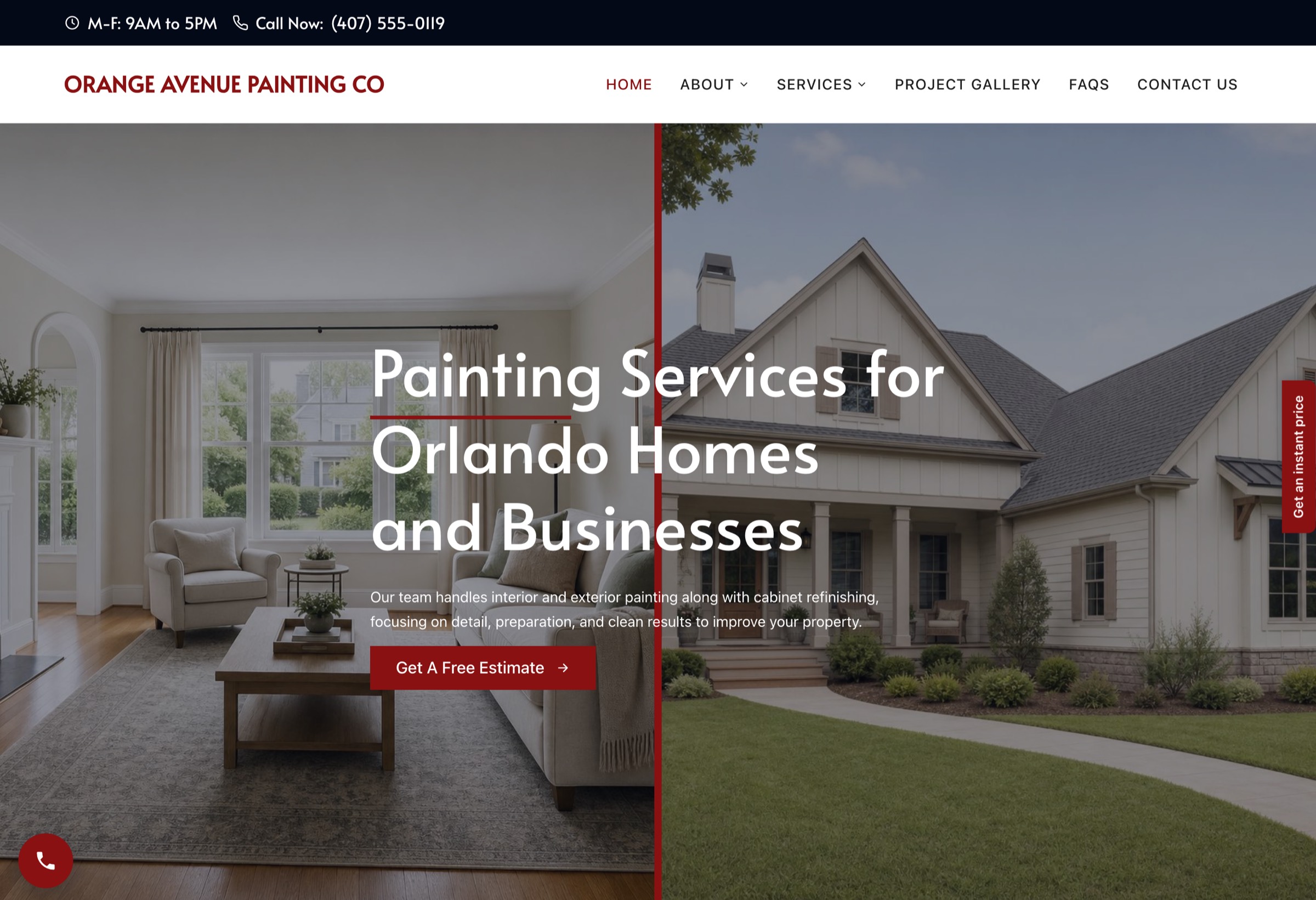
Open the report the email links to: Orange Avenue Painting Co, website report. The preview site that goes with it:
What the report does not claim
- It is a snapshot. The checks ran on the date shown, against the public pages the engine could reach from the home page. The site can change after that.
- It measures the site, not the market. It does not say where the business ranks, how many customers it loses, or what a competitor does, unless you checked that yourself and say so.
- It leaves out what it could not measure. A check that did not run is named as not measured and is not counted.
- It is not a speed test. It measures the server’s response time and the home page’s weight. It does not run Lighthouse or Core Web Vitals, which need a lab run or field data.
- It is not a certification. It uses public pages only and does not certify security, accessibility or legal compliance.
- It promises nothing. The fixed version addresses the findings. It does not promise a ranking or a number of calls.
Where the checks come from in ShowFirst
- Search one city and one trade in Prospects. Each result has the business’s Google Business Profile details, its contact details and the website check.
- Open a result. The Website Report section lists the checks with a dot next to each one that needs attention, plus the review count and claimed status. See Results, filters, and exports.
- Click Share report. Paste the preview link into the field first if you have one. The report link appears with Copy and Open, and it costs nothing. See Website report.
- Put the link in the email. If the preview is not built yet, the report says to reply for it, and the site gets built on a yes.
Results carry a Has site issues filter, so you can list only the businesses with something to report, and a No Website filter for the ones with nothing to audit. The same facts are in the export, so you can keep a sheet per city.
FAQ
What is a website audit report?
A list of what a website is missing, measured against fixed checks, with one sentence per item on why it matters to the business. For a prospect it is one page with the findings in plain words; the version an agency keeps for a client can run longer.
How do you audit a website?
Open it on a phone and in a browser and run the 20 checks above, grouped as security and trust, whether Google can see it, what Google shows, the phone experience and content basics. Then read the Google Business Profile for the review count and whether it is claimed. ShowFirst runs the 20 checks on every search result.
Which tool is best for a website audit?
For a report to a prospect, a tool that measures the checks and writes each finding in words the owner understands, with no score to explain. Established crawlers such as Semrush, Ahrefs and SEOptimer are built for the person fixing the site and produce long technical lists. ShowFirst makes the one-page owner-facing report from a search result.
Should I send the audit without a preview?
You can. The report link stands on its own, and its last section says to reply for the fixed version. When a preview exists, put its link in the same email, so the owner sees the problem and the fix together.
Can I put a score on it?
A score needs an explanation. Three findings need none. Leave the score off.
Sources
Every outside claim on this page, with the date the source shows. All fetched October 5, 2026.
- Google Online Security Blog, “A secure web is here to stay”, February 8, 2018
- Google Search Central, “Mobile-first indexing best practices”, updated December 10, 2025
- Chrome for Developers, Lighthouse audit “Does not have a <meta name=viewport> tag”, updated May 27, 2024
- Google Search Central, “Influencing your title links in search results”, updated December 10, 2025
- Google Search Central, “Control your snippets in search results”, updated April 20, 2026
- Google Search Central, “Local business (LocalBusiness) structured data”, updated September 8, 2026
- BrightLocal, “Local Consumer Review Survey 2026”, published February 11, 2026 (1,002 US adults)
- Google Business Profile Help, “Verify your business on Google” and “Read & reply to reviews”
- web.dev (Google), “Click to call”, updated June 17, 2014
- Semrush Knowledge Base, “Site Audit Overview Report”
- Ahrefs, Site Audit product page
- SEOptimer home page and sample report
- HubSpot, “Website Grader relaunch”, November 14, 2023
Search a city and trade. Your first search is free.
Search a city and trade →100 lead credits at signup. No card.