How to sell websites to local businesses (contractors first)
A step-by-step way to find contractors without a good website, build the site before the call, and send it as the pitch.
Who to sell to first
Start with home-service trades that sell high-ticket jobs: roofing, HVAC, plumbing, fencing, painting, landscaping, windows and doors, gutters, decks, pest control and cleaning.
- They are used to paying for services by the month.
- Most have no in-house marketing staff.
- Their websites are often the weakest in local search results.
ShowFirst has a price tool for 11 of these trades. It puts a ballpark price range and a lead form on the site.
How to find them
Search one city and one trade at a time. Each result has the business’s Google Business Profile details, its contact details and a check of its website.
Signals that a business is ready to buy:
- No website.
- A website without SSL (the address starts with http://).
- A website that is not mobile-ready.
- Fewer than 20 Google reviews.
- An unclaimed Google Business Profile.
The results table has a No Website filter and a Has site issues filter. Each lead’s detail view shows its review count and claimed status. See Results, filters, and exports.
Build the site before you reach out
A preview the owner can judge has the same parts as a finished site:
- Services.
- Service areas.
- Reviews.
- Photos.
- A way to get a quote: a call button, a contact form and, for the 11 supported trades, a price tool.
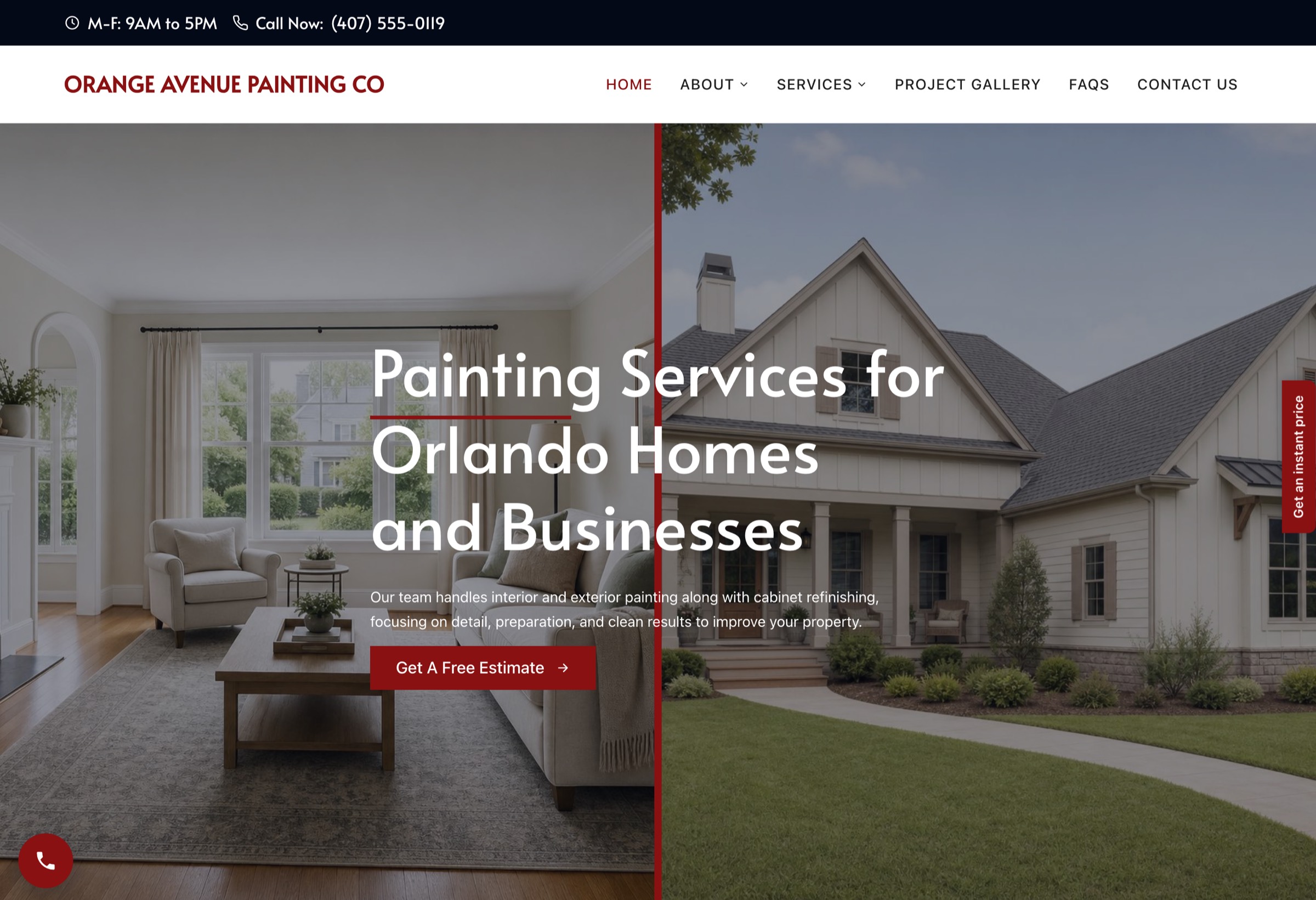
A preview stays up for 14 days. After that it shows an expiry notice, nothing underneath is deleted, and the owner can still claim it.
The outreach
Three short emails to the owner, sent on day 0, day 3 and day 7. The first one carries the link to their site.
Subject: a website for [business name]

Hi [first name],

I built a new website for [business name]. Here it is: [preview link]

It is yours if you want it. Should I send the details?Hi [first name],
Following up on the site for [business name]: [preview link]. Should I send the details?Hi [first name],
Last note from me on this. The site stays up until [expiry date]. Reply if you want it.Every email carries your business name, a mailing address and a line that says how to opt out. Emails 2 and 3 go as replies in the same thread.
Pricing the deal
Agencies usually price a contractor site in two parts:
- Setup fee. Covers building and launching the site.
- Monthly fee. Covers hosting, edits, lead alerts and support.
Common ranges depend on the city and on what the monthly fee includes. Check what agencies in your market list on their own pricing pages before you set yours. Your own cost per site is in the ShowFirst pricing section.
To send a client your price under your own brand, set your name, logo and color in Settings, under Your brand. They appear on the pricing link you send.
Handing the client the keys
- Owner editor. The owner clicks Edit this page to open the Website Editor and change text, services, service areas, reviews, photos and FAQs. See Hero & About.
- WordPress login. Each site is an ordinary WordPress site with its own admin login, shown on the site’s page in your dashboard.
- AI edits. The Agent tab changes a live site from a request written in plain words, reports what it changed and has an Undo button. See The Agent tab.
- Lead alerts. Every form submission is saved in the site’s WordPress admin under Leads and emailed to the lead notification address. Alerts carry your agency brand. See Forms & email.
- Domain. Point the client’s domain at the site from the site’s page in your dashboard.
FAQ
Do I need to know WordPress?
No. ShowFirst builds the site. The owner edits it in the Website Editor, and you can make changes from the Agent tab in plain words. A WordPress admin login is on the site’s page if you want it.
What if they already have a site?
Build the preview anyway and send it with a link to their current site. If they switch, point their domain at the new site from the site’s page in your dashboard.
How many should I send a week?
As many as you can follow up on by hand. Start with one city and one trade, read every reply, then add the next city.
Can I white-label it?
Yes. In Settings, under Your brand, set your agency name, logo, color and reply-to address. They appear on the pricing link you send a client and on every new-lead alert the business owner receives.
What does it cost me per site?
The current price is in the pricing section. Today the founders seat is free for the first ten agencies while the seat stays active. It includes 1 site credit and 100 lead credits.
Search a city and trade. Your first search is free.
Search a city and trade